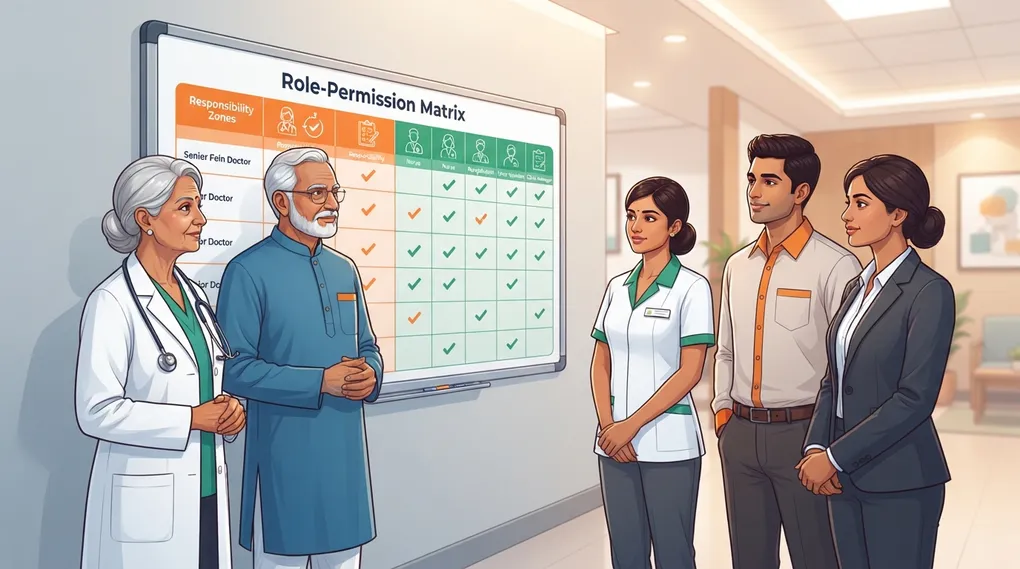
Role-Based AI Rules for Clinic Staff
Define what doctors, junior doctors, nurses, receptionists, and clinic managers may and may not do with AI tools.
AI safety is not only about the tool. It is also about who uses it, for what task, and with what level of review.
A receptionist, nurse, junior doctor, and consultant should not have the same AI permissions. This chapter helps you define role-based rules that are easy to train and audit.
What Problem This Solves
Without role-based rules:
- staff may paste identifiable patient messages into AI
- junior doctors may overuse AI for clinical reasoning
- reception teams may accidentally reveal diagnoses in WhatsApp messages
- managers may publish medical content without doctor review
- no one knows who is accountable for an AI-assisted output
Role-based rules turn “use AI carefully” into specific permissions.
The Permission Matrix
| Role | Allowed With Review | Not Allowed | Reviewer |
|---|---|---|---|
| Consultant doctor | De-identified drafts, patient education, documentation formatting, QC prompts | Delegating diagnosis, final treatment decisions, emergency triage | Self-review or peer review for high-risk content |
| Junior doctor | Draft notes from de-identified data, patient handout drafts, guideline question lists | Independent treatment plans, prescriptions, consent finalization | Consultant |
| Nurse | Generic care instructions, checklist formatting, patient education drafts | Medication changes, triage decisions, patient identifiers | Doctor |
| Receptionist | Appointment reminders, queue messages, generic clinic FAQs | Diagnosis details, reports, private patient conversations | Clinic manager or doctor |
| Clinic manager | SOPs, feedback summaries, staff training drafts, Google Business drafts | Medical advice, patient-specific clinical content | Doctor for medical content |
Simple Staff Rules
Print these rules near clinic workstations.
CLINIC AI RULES FOR STAFF

1. Do not enter patient name, phone number, address, ID number, photos,
   prescriptions, reports, or WhatsApp chats into AI tools.

2. Use AI only for approved tasks listed for your role.

3. AI output is a draft. It is not final medical advice.

4. Any patient-facing medical content must be reviewed by the doctor.

5. If AI gives diagnosis, medicine changes, dosage advice, emergency advice,
   or anything outside your role, stop and ask the doctor.

6. If identifiable patient data is accidentally shared, report it the same day.
Role-Specific Prompt Templates
Receptionist: Privacy-Safe Reminder
Act as a clinic receptionist.

Write a polite WhatsApp reminder for a patient to attend a follow-up visit.
Do not mention diagnosis, test results, medicine names, or private details.
Ask them to bring any recent readings or reports if available.
Tone: warm and professional.
Length: 4 lines maximum.
Nurse: Generic Care Instruction Draft
Act as a patient educator.

Create a generic care instruction checklist for patients after [PROCEDURE],
for doctor review before use.

Do not include drug dosages. Include:
- normal expected symptoms
- care steps
- warning signs requiring urgent contact
- follow-up reminder

Use simple English.
Junior Doctor: Documentation Formatting
Act as a medical documentation assistant.

Convert the de-identified clinical notes below into SOAP format.

Rules:
- Do not add information not provided.
- Put missing exam or investigation details as [TO BE ADDED].
- Do not create a final treatment plan.
- Mark the output as "Draft for consultant review".

Notes:
[PASTE DE-IDENTIFIED NOTES]
Clinic Manager: SOP Draft
Act as a clinic operations manager.

Create a one-page SOP for [WORKFLOW], suitable for training clinic staff.

Include:
- purpose
- who is responsible
- step-by-step process
- escalation points
- documentation required

Do not include medical diagnosis or treatment advice.
Escalation Triggers
Staff must escalate to the doctor if AI output includes:
- a diagnosis
- a medicine change
- dosage or frequency advice
- emergency triage advice
- red flag symptoms
- procedure risk interpretation
- legal or consent language
- anything the staff member does not understand
Practice Check
Before marking this chapter complete:
- list each clinic role
- define allowed AI tasks
- define prohibited AI tasks
- assign reviewer for each role
- print or save the staff rules
- run a 10-minute staff briefing
Repeat the briefing whenever a new staff member joins.