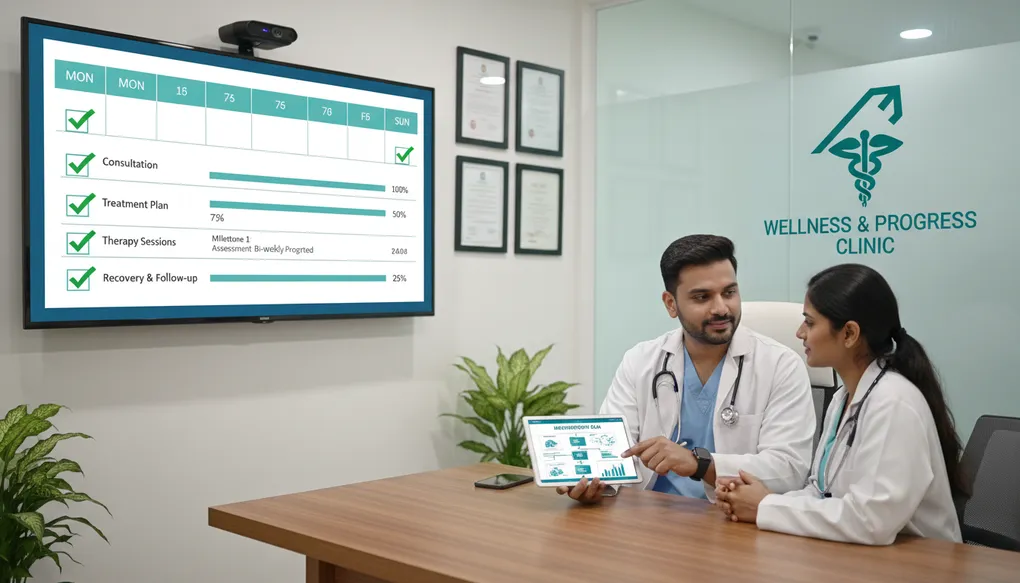
7-Day Implementation Plan
A practical week-by-week plan to implement prompt engineering in your clinic—start using AI effectively without overwhelming yourself or your staff.
You have read the articles. You understand the concepts. You have seen the prompts. But somehow, Monday morning arrives and you are back to your old workflow—60 patients, rushed documentation, no time to “try new things.”
Sound familiar?
This guide changes that. It gives you a concrete, day-by-day plan to implement prompt engineering in your clinic. Not overnight transformation—sustainable habit building. By Day 7, you will have AI working for you, not as a theoretical skill, but as part of your daily practice.
The key insight: You do not need to master everything at once. You need one small win per day that builds into lasting change.
What Problem This Solves
The Knowledge-Action Gap
Most doctors who learn about AI-assisted workflows never actually implement them. Why?
- “I’ll try it when I have time” — That free afternoon never comes
- “My clinic is too busy” — Busy clinics benefit the most, but change feels impossible
- “I don’t know where to start” — Paralysis from too many options
- “My staff won’t understand” — Fear of disruption and training burden
- “What if it doesn’t work?” — Risk of wasted effort
The Real Cost of Not Starting:
- Continue spending 2+ hours daily on documentation
- Keep explaining the same conditions repeatedly
- Watch patient education suffer due to time constraints
- Experience ongoing burnout from administrative overload
What This 7-Day Plan Solves:
- Breaks implementation into 30-60 minute daily tasks
- Builds on previous days—each skill reinforces the next
- Creates visible wins that motivate continuation
- Involves staff gradually, not all at once
- Establishes sustainable habits, not temporary experiments
By Day 7, you will have:
- AI tool set up and comfortable to use
- At least 5 working prompts for daily tasks
- Staff trained on basic AI assistance
- A personal prompt library started
- Clear metrics showing time saved
- A plan for continued growth
How to Do It (Steps)
The 7-Day Framework
Each day has:
- Core Task (30-45 minutes) — Essential activity for the day
- If You Have More Time (15-30 minutes) — Enhanced version
- Daily Checkpoint — How to know you succeeded
- Staff Involvement — When and how to include your team
Day 1: Setup and First Prompt
Goal: Get an AI tool running and experience your first successful prompt.
Core Task (30 minutes):
-
Choose your AI tool (5 minutes)
- ChatGPT (chat.openai.com) — Most popular, free tier available
- Claude (claude.ai) — Excellent for medical writing, thoughtful responses
- Google Gemini (gemini.google.com) — Good if you use Google Workspace
For this guide, any of these works. Pick one and create a free account.
-
Try your first medical prompt (15 minutes)
Copy this exactly and paste it into your chosen AI tool:
Act as a patient educator at an Indian clinic.

Create a simple explanation of Type 2 Diabetes for a 50-year-old
patient who has just been diagnosed. They are scared and confused.

Include:
- What is happening in their body (simple analogy)
- Reassurance that it is manageable
- 3 immediate lifestyle changes they can make
- When to contact the doctor

Keep it under 200 words. Use simple English that someone with
10th standard education can understand. Warm, encouraging tone.
Read the output. Notice how it follows your instructions.
-
Modify and retry (10 minutes)
Now change one thing:
- Add: “Write in Hindi-English mix (Hinglish)”
- Or add: “Format as bullet points”
- Or add: “Make it even simpler, for someone with 5th standard education”
See how the output changes. You are now prompting.
If You Have More Time (15 minutes):
Try a second prompt for a condition you frequently explain in your clinic. Use the same structure:
- Role (who should AI act as)
- Context (patient details)
- Task (what to create)
- Format and constraints (how to structure it)
Daily Checkpoint: You have succeeded if you can show someone an AI output you created today.
Staff Involvement: None today. This is your personal exploration day.
Day 1 Copy-Paste Prompt:
Act as a patient educator at an Indian clinic.

Explain [CONDITION NAME] to a [AGE]-year-old patient from [CITY/REGION].

They have [EDUCATION LEVEL] education and speak [LANGUAGE PREFERENCE].

Include:
- What the condition means in simple terms
- Why it happened (if applicable)
- 3-5 practical things they can do
- Warning signs to watch for
- Reassurance and encouragement

Keep it under 200 words. Use a warm, supportive tone.
Day 2: Patient Instructions Focus
Goal: Create patient instructions you can actually use tomorrow.
Core Task (45 minutes):
Building on Article D2 (Patient Instructions), today you create real instructions for your patients.
-
Identify your top 3 instruction needs (10 minutes)
What instructions do you give most often?
- Medication timing and compliance
- Pre-procedure preparation
- Post-procedure care
- Lifestyle modifications
- Follow-up and warning signs
Write down your top 3.
-
Create instruction for most common need (20 minutes)
Use this prompt structure:
Create patient instructions for [YOUR MOST COMMON SCENARIO]. Patient context: - Typical age range: [RANGE] - Typical education: [LEVEL] - Language preference: [LANGUAGE] - Who helps at home: [FAMILY SITUATION] Include: 1. Clear numbered steps for what to do 2. What to avoid (in bullet points) 3. "Normal things to expect" section (reduces anxiety calls) 4. "Call the clinic if..." section 5. "Go to hospital immediately if..." section (red flags) Format: Easy to print on A4, one page maximum. Use traffic light system for warning signs if appropriate. -
Print and review (10 minutes)
Copy the output to a Word document. Review for:
- Accuracy (does this match your clinical practice?)
- Completeness (anything missing?)
- Language (appropriate for your patients?)
Edit as needed. This is now YOUR instruction sheet.
-
Save the prompt (5 minutes)
Create a folder on your computer called “My Clinic Prompts” and save this prompt as a text file. You are building your prompt library.
If You Have More Time (20 minutes):
Create instructions for your second and third common scenarios. By end of Day 2, you could have three ready-to-use instruction sheets.
Daily Checkpoint: You have a printed instruction sheet ready to give to the next relevant patient.
Staff Involvement: Show your receptionist or nurse the instruction sheet. Explain: “I created this with AI assistance. What do you think? Is it clear for our patients?”
Day 2 Copy-Paste Prompts:
For Medication Instructions:
Create medication instructions for patients at my clinic.

Medications:
- [MEDICINE 1 with dose and frequency]
- [MEDICINE 2 with dose and frequency]

Typical patient: [AGE]-year-old, [EDUCATION LEVEL] education, [LANGUAGE] speaking.
Family support: [YES/NO/DESCRIBE]

Include:
1. Medicine schedule table (name, dose, timing with meals)
2. Important instructions (with food/empty stomach/etc.)
3. Common side effects that are normal
4. Side effects that need doctor attention
5. What to do if dose missed

Format: Simple table plus short bullet points.
Language: [ENGLISH/HINDI/BILINGUAL]
Keep total under one A4 page.
For Post-Procedure Care:
Create post-[PROCEDURE] care instructions for patients.

Typical patient: [AGE]-year-old from [CITY], [EDUCATION] education.
Setting: Outpatient procedure at clinic.

Include:
1. First 24 hours care (rest, diet, activity)
2. Wound/site care (if applicable)
3. Pain management (what to take, when)
4. Activity restrictions with timeline
5. Warning signs using traffic light system:
   - GREEN (normal, don't worry)
   - YELLOW (call clinic within 24 hours)
   - RED (go to hospital immediately)
6. Follow-up appointment reminder

Format: Day-by-day checklist style.
Language: [LANGUAGE PREFERENCE]
Include space for clinic contact number.
Day 3: Documentation Practice
Goal: Reduce documentation time with AI-assisted SOAP notes.
Core Task (45 minutes):
Building on Article E1 (SOAP and EMR Notes), today you integrate AI into your documentation workflow.
-
Prepare de-identified case (10 minutes)
Think of a patient you saw recently (or create a realistic composite). Write down:
- Age and gender (no name)
- Chief complaint
- Key history points
- Relevant examination findings
- Your assessment
- Your plan
Remember: Never include real patient names, phone numbers, or identifying information.
-
Generate a SOAP note (15 minutes)
Use this prompt:
Act as a medical documentation assistant for Indian clinical practice. Convert this into a SOAP note: Patient: [AGE]-year-old [GENDER] Chief Complaint: [COMPLAINT] for [DURATION] History: [KEY HISTORY POINTS] Examination: [RELEVANT FINDINGS] Impression: [YOUR ASSESSMENT] Plan: [YOUR PLAN] Format: Standard SOAP with clearly labeled sections. Constraints: - Use "Working Assessment" not "Diagnosis" - Do not add information I haven't provided - Mark missing information as [TO BE ADDED] - Keep professional and concise - Appropriate for hospital EMR entry -
Compare with your usual process (10 minutes)
How long did this take versus writing from scratch?
Review the output:
- Did it capture everything correctly?
- What would you need to edit?
- Is the format right for your EMR system?
-
Practice the real workflow (10 minutes)
Simulate your actual documentation process:
- See patient (recall from earlier today)
- Jot quick notes on paper or phone
- Convert to AI prompt after clinic
- Generate draft
- Review and finalize
This is your new workflow. Time it.
If You Have More Time (20 minutes):
Practice with 2-3 more cases. Notice how quickly you improve at writing prompts. By the third case, you will be faster.
Daily Checkpoint: You have a complete SOAP note generated and edited in under 5 minutes (versus your usual 10-15 minutes).
Staff Involvement: If you have a nurse who assists with documentation, show them the process. Explain they might jot patient details, and you review AI-drafted notes.
Day 3 Copy-Paste Prompt:
Act as a medical documentation assistant for Indian clinical practice.

Create a [INITIAL CONSULTATION/FOLLOW-UP/URGENT VISIT] SOAP note:

Patient: [AGE]-year-old [GENDER], [OCCUPATION]

SUBJECTIVE:
- Chief Complaint: [COMPLAINT] for [DURATION]
- History of Present Illness: [HPI DETAILS]
- Past Medical History: [RELEVANT PMH]
- Current Medications: [MEDS IF ANY]
- Allergies: [ALLERGIES OR NKDA]

OBJECTIVE:
- Vitals: [BP, PULSE, TEMP, SPO2 IF AVAILABLE]
- General: [GENERAL APPEARANCE]
- Relevant Examination: [EXAMINATION FINDINGS]
- Investigations: [ANY TESTS WITH RESULTS]

MY ASSESSMENT: [YOUR WORKING IMPRESSION]
MY PLAN: [YOUR INTENDED MANAGEMENT]

Format Requirements:
- Standard SOAP structure with clear sections
- Use "Working Assessment" not definitive diagnosis
- Include plan for: medications (leave doses for me), investigations, follow-up
- Mark missing information as [PENDING]
- Professional language for hospital records
- Concise—under 300 words total
Day 4: Patient Education Materials
Goal: Create reusable patient education handouts for your clinic.
Core Task (45 minutes):
Building on Article F1 (Patient Education Materials) and F4 (Waiting Area Content), create materials that serve multiple patients.
-
Identify your education gaps (10 minutes)
What conditions do you explain repeatedly?
- Diabetes management
- Hypertension lifestyle
- Common childhood illnesses
- Pre/post-operative care
- Preventive health (vaccination, screening)
What materials would help your waiting area?
- Seasonal health tips
- When to seek care
- Your clinic services
Pick 2-3 priorities.
-
Create a condition handout (20 minutes)
Use this prompt for your most-explained condition:
Create a patient education handout about [CONDITION]. My clinic setting: - Location: [CITY/REGION] - Patient demographic: [TYPICAL PATIENTS] - Languages spoken: [LANGUAGES] Include: 1. "What is [CONDITION]?" - Simple explanation with analogy 2. "What causes it?" - Brief, non-scary 3. "What should I do?" - 5-7 practical lifestyle tips 4. "What should I avoid?" - Common mistakes 5. "Diet Tips" - Using local Indian foods 6. "When to see the doctor" - Clear triggers 7. "Emergency signs" - When to go to hospital Format: Printable A4, both sides if needed. Language: [BILINGUAL/SINGLE LANGUAGE] Include space for clinic name and contact. Tone: Reassuring and empowering, not frightening. Reading level: [SIMPLE/MODERATE/EDUCATED] -
Create a waiting area poster (15 minutes)
Use this prompt:
Create content for a health awareness poster for my clinic waiting area.

Topic: [HEALTH TOPIC RELEVANT TO YOUR PATIENTS]
Location: [CITY]
Audience: [FAMILIES/ADULTS/SENIORS/MIXED]

Poster requirements:
- Catchy headline (max 6 words)
- 4-5 key points with icon suggestions
- One "Did You Know?" fact
- "Ask your doctor about..." prompt
- Space for clinic name at bottom

Size: A3 poster, viewed from 3-4 feet while seated.
Language: [ENGLISH/HINDI/BILINGUAL]
Tone: Helpful and encouraging, not scary.

Add: "General health information. Please consult your doctor for personal advice."
If You Have More Time (20 minutes):
Create a second handout and a second poster. You are building a patient education library.
Daily Checkpoint: You have at least one handout ready to print and use, plus poster content you could display.
Staff Involvement: Ask your receptionist: “Which health topics do patients ask about most while waiting?” Use their input for tomorrow’s materials.
Day 4 Copy-Paste Prompts:
Condition Education Handout:
Create a patient education handout about [CONDITION] for my clinic in [CITY].

Patient profile:
- Age range: [RANGE]
- Education: [LEVEL]
- Languages: [PREFERENCE]

Sections needed:
1. What is it? (simple explanation)
2. Why did it happen? (brief)
3. Daily management tips (5-7 practical points)
4. Diet recommendations (Indian foods)
5. Exercise suggestions (realistic)
6. Medication reminders (general, not specific drugs)
7. When to contact clinic
8. Emergency warning signs

Format: One A4 page, both sides if needed.
Include: Space for clinic stamp/contact.
Tone: Reassuring, empowering.
Language: [ENGLISH/HINDI/BILINGUAL]
Waiting Area Poster:
Create a waiting area poster about [HEALTH TOPIC].

Clinic in [CITY], serving [PATIENT DEMOGRAPHIC].
Poster size: A3, viewed from 3-4 feet.

Include:
- Attention headline (under 6 words)
- 4-5 key prevention/awareness points
- Simple icon suggestions for each point
- One surprising health fact
- "Talk to your doctor if..." prompt
- Space for clinic branding

Language: [PREFERENCE]
Tone: Positive, encouraging (not fear-based)
Keep text minimal - posters need to be quick reads.

Add disclaimer: "For general awareness. Consult your doctor for personal advice."
Day 5: Administrative Efficiency
Goal: Streamline appointment reminders, queue management, and routine communication.
Core Task (45 minutes):
Building on Articles G1 and G2 (Patient Communication and Queue Workflows), create templates for your front desk.
-
Map your communication touchpoints (10 minutes)
List every message your clinic sends:
- Appointment confirmation
- Day-before reminder
- Delay notifications
- Queue updates
- Follow-up reminders
- No-show follow-up
- Test result notifications
Which ones are currently inconsistent or missing?
-
Create appointment communication templates (20 minutes)
Use this prompt:
Create WhatsApp message templates for my clinic: Clinic: [CLINIC NAME] Specialty: [SPECIALTY] Location: [AREA, CITY] OPD Timings: [TIMINGS] I need templates for: 1. Appointment confirmation (include address, what to bring) 2. Day-before reminder (with reschedule option) 3. Running late notification (30-minute delay version) 4. "2 patients before you" alert 5. Thank you message (after visit) 6. No-show follow-up (same evening) Requirements: - Each message under 160 characters where possible - Professional but warm tone - Include only essential information - Easy to read on mobile - Use simple English with Hindi words where natural For each, specify WHEN to send it. -
Create staff response scripts (15 minutes)
Use this prompt:
Create receptionist scripts for common situations at my clinic:

1. Walk-in patient asking about wait time
2. Patient calling to reschedule
3. Patient upset about 30-minute delay
4. Patient asking about test results by phone
5. Patient asking medical question (needs to redirect to doctor)

For each script:
- Exact words to say (natural, not robotic)
- Tone guidance
- What NOT to say
- When to involve the doctor

Keep scripts brief - receptionist should sound natural, not reading.
Indian clinic context. Warm but professional.
If You Have More Time (20 minutes):
Create templates for special situations: festival holiday announcements, emergency closure notifications, new service introductions.
Daily Checkpoint: You have a complete set of appointment messages ready for your receptionist to use.
Staff Involvement: This is the key staff involvement day. Sit with your receptionist/front desk staff for 15 minutes. Show them the templates. Ask for feedback. Make them part of the solution.
Day 5 Copy-Paste Prompts:
Appointment Message Set:
Create a complete appointment communication system:

Clinic: [CLINIC NAME], [SPECIALTY]
Location: [ADDRESS]
Timings: [OPD HOURS]
Average consultation: [X] minutes

Templates needed:
1. BOOKING CONFIRMATION - Send immediately after booking
   Include: Date, time, address, what to bring, reschedule option

2. DAY-BEFORE REMINDER - Send at 6 PM day before
   Include: Confirmation request (reply YES/RESCHEDULE/CANCEL)

3. DELAY ALERT (30 mins) - Send when doctor running late
   Include: Apology, new estimated time, reschedule option

4. TURN APPROACHING - Send when 2 patients before
   Include: Token number, estimated wait, request to be present

5. POST-VISIT THANKS - Send same evening after visit
   Include: Thank you, follow-up reminder if applicable

6. NO-SHOW FOLLOW-UP - Send same evening if patient missed
   Include: Gentle check-in, easy reschedule option

Each message: Under 200 characters, warm but professional, mobile-friendly.
Language: [ENGLISH WITH HINDI WHERE NATURAL]
Staff Scripts:
Create receptionist response scripts for [CLINIC NAME]:

Situation 1: Walk-in asking about wait time
- How to check current queue
- How to quote wait time
- Options to offer (wait, leave number, book later slot)

Situation 2: Patient calling about delay
- Acknowledge frustration
- Provide accurate information
- Offer alternatives

Situation 3: Angry patient about wait
- De-escalation phrases
- What to avoid saying
- When to involve doctor

Situation 4: Medical question on phone
- Polite redirect to doctor
- What information to gather
- How to offer callback

Situation 5: Test results inquiry
- Privacy-conscious response
- When results are ready vs. not ready
- Encouraging them to visit for explanation

Each script: Natural language, not robotic. Brief enough to memorize key phrases.
Tone: Calm, helpful, professional. Indian clinic context.
Day 6: Build Your Prompt Library
Goal: Organize and expand your prompts into a reusable system.
Core Task (45 minutes):
Building on Article I1 (Building Your Prompt Library), create a sustainable system for storing and improving prompts.
-
Organize what you have (15 minutes)
Gather all prompts you created this week:
- Day 1: Patient education basics
- Day 2: Patient instructions
- Day 3: SOAP notes
- Day 4: Education materials and posters
- Day 5: Administrative templates
Create a folder structure:
My Clinic Prompts/
├── Patient Education/
├── Documentation/
├── Instructions/
├── Administrative/
└── Templates/
Save each prompt as a text file with a clear name:
diabetes-education-handout.txtsoap-note-initial-visit.txtappointment-reminder-messages.txt
-
Create specialty-specific prompts (20 minutes)
Now create prompts specific to your specialty:
I am a [YOUR SPECIALTY] doctor in [CITY]. Create a set of prompt templates I can reuse for common scenarios in my practice. I frequently need to: 1. [COMMON TASK 1 IN YOUR SPECIALTY] 2. [COMMON TASK 2] 3. [COMMON TASK 3] For each, create a template prompt with: - Clear placeholders [LIKE THIS] for variable information - Appropriate role and context for my specialty - Format specifications - Safety constraints Make prompts practical for busy Indian clinic setting. -
Create your “Quick Prompts” card (10 minutes)
Use this to generate a quick reference:
Create a "Quick Prompts Reference Card" for a [SPECIALTY] doctor.

Format: Will be printed and laminated, kept at desk.

Include 10 one-line prompt starters for common tasks:
1. Patient education
2. Discharge summary
3. Referral letter
4. Medication explanation
5. Procedure consent explanation
6. Follow-up instructions
7. WhatsApp patient reply
8. Waiting room poster
9. Staff communication
10. Case summary for CME

Each starter should be under 20 words—just enough to
remind the doctor what to type.

Format as a simple table or numbered list.
If You Have More Time (30 minutes):
Test each of your saved prompts. Are they working consistently? Do they need refinement? Note improvements and update your files.
Daily Checkpoint: You have a folder with at least 10 organized, ready-to-use prompts, plus a quick reference card.
Staff Involvement: Share your “Quick Prompts” card with any staff who might help with documentation or communication. They can start simple tasks while you handle clinical work.
Day 6 Copy-Paste Prompts:
Specialty Prompt Generator:
I am a [SPECIALTY] doctor at a [CLINIC TYPE] in [CITY].

Create 5 reusable prompt templates for my most common AI-assisted tasks:

1. [TASK 1 - e.g., "Explaining diagnosis to anxious patients"]
2. [TASK 2 - e.g., "Post-procedure care instructions"]
3. [TASK 3 - e.g., "Referral letters to specialists"]
4. [TASK 4 - e.g., "Follow-up visit documentation"]
5. [TASK 5 - e.g., "Patient diet and lifestyle advice"]

For each prompt template:
- Include role appropriate to task
- Add placeholders [LIKE THIS] for variable content
- Specify format and length expectations
- Include safety constraints where relevant
- Make it practical for 2-3 minute use between patients

These will be saved and reused daily.
Quick Reference Card:
Create a pocket reference card for AI prompts.

Doctor specialty: [SPECIALTY]
Format: Will be printed small, kept at desk.

List 10 "prompt starters" - the first 15-20 words of prompts for:

1. Explaining [COMMON CONDITION] to patients
2. Creating discharge instructions for [COMMON PROCEDURE]
3. Writing referral to [COMMON REFERRAL SPECIALTY]
4. SOAP note for [COMMON VISIT TYPE]
5. Medication education for [COMMON DRUG CLASS]
6. Diet advice for [CONDITION]
7. Exercise guidance for [PATIENT TYPE]
8. Pre-procedure preparation sheet
9. WhatsApp reply to common patient query
10. CME case summary format

Each starter in one line. Doctor can complete with specific details.
Format as simple numbered list or small table.
Day 7: Review, Refine, Plan Forward
Goal: Assess your progress, fix gaps, and create a sustainable plan.
Core Task (60 minutes):
This is your reflection and planning day.
-
Self-Assessment (15 minutes)
Answer these questions honestly:
Skills Assessment:
- Can I write a basic 5-part prompt (Role, Context, Task, Format, Constraints)?
- Can I get useful patient education content on first try?
- Can I generate a SOAP note draft faster than writing manually?
- Can I modify prompts when output is not quite right?
Implementation Assessment:
- Have I used AI for actual patient care this week?
- Have I saved time compared to my old workflow?
- Do I have prompts saved and organized?
- Does my staff understand the basics?
Gaps Assessment:
- What tasks did I want to try but did not?
- What outputs needed too much editing?
- What scenarios am I still unsure about?
-
Refine Your Most-Used Prompts (20 minutes)
Take your 3 most frequently used prompts from this week. For each one:
- Test it again with a new scenario
- Note what works well
- Identify what needs adjustment
- Update the saved version
Use this prompt to help refine:
I have this prompt that I use for [TASK]: [PASTE YOUR CURRENT PROMPT] The outputs are generally good, but I've noticed: - [ISSUE 1 - e.g., "too long"] - [ISSUE 2 - e.g., "missing important section"] - [ISSUE 3 - e.g., "language too formal"] Help me improve this prompt to address these issues while keeping it practical for busy clinical use. -
Create Your Ongoing Plan (15 minutes)
Use this prompt to generate your continued learning path:
I am a [SPECIALTY] doctor who just completed a 7-day AI implementation program. I have basic prompting skills and [NUMBER] saved prompts for daily use. My current comfort level: - Patient education: [BEGINNER/COMFORTABLE/CONFIDENT] - Documentation: [BEGINNER/COMFORTABLE/CONFIDENT] - Administrative: [BEGINNER/COMFORTABLE/CONFIDENT] Areas I want to improve: - [AREA 1] - [AREA 2] Create a 4-week continued learning plan with: - One new skill to practice each week - Specific prompts to try - How to measure progress Keep it realistic for a busy clinician—maximum 30 minutes practice per week. -
Calculate Your Time Savings (10 minutes)
Estimate your savings:
Task Old Time New Time Daily Savings Patient education (per patient) [X] min [Y] min [Z] min SOAP notes (per patient) [X] min [Y] min [Z] min Discharge summary [X] min [Y] min [Z] min Other: ___ [X] min [Y] min [Z] min Total Daily Savings: ___ minutes
Weekly Savings: ___ hours
This is your ROI. This is why the 7 days mattered.
If You Have More Time (30 minutes):
Plan a brief “AI in Our Clinic” session with your full staff. Create a simple one-page guide showing them how AI helps the practice and what to expect going forward.
Daily Checkpoint: You have: updated prompts, a written plan for the next month, and calculated time savings.
Staff Involvement: Brief team meeting (even 10 minutes). Share:
- What you learned this week
- How it helps the clinic
- What changes they might notice
- How they can help (or ask questions)
Day 7 Copy-Paste Prompts:
Week Assessment Generator:
I am a doctor who just spent 7 days learning to use AI in my practice.

Here's what I accomplished:
- Created prompts for: [LIST WHAT YOU MADE]
- Used AI for: [LIST ACTUAL USE CASES]
- Trained staff on: [WHAT THEY LEARNED]

Here's what I struggled with:
- [CHALLENGE 1]
- [CHALLENGE 2]

Here's what I want to do next:
- [GOAL 1]
- [GOAL 2]

Create a personalized summary:
1. My wins this week (what went well)
2. My growth areas (what to improve)
3. Recommended next steps (specific, actionable)
4. Resources to explore (based on my goals)

Keep it encouraging but practical.
Month Ahead Planner:
Create a 4-week AI skill development plan for a [SPECIALTY] doctor.

Current status after 7-day implementation:
- Basic prompting: [COMFORTABLE/NEEDS PRACTICE]
- Patient education prompts: [STATUS]
- Documentation prompts: [STATUS]
- Admin/communication: [STATUS]

Goals for next month:
1. [SPECIFIC GOAL]
2. [SPECIFIC GOAL]

Constraints:
- Maximum 30 minutes practice per week
- Busy Indian clinic schedule
- Focus on practical, immediate value

For each week, provide:
- One skill focus area
- Two specific prompts to practice
- One way to measure success
- How to integrate into daily workflow
Example Prompts
Prompt 1: Daily Morning Quick-Start
Act as my clinic assistant. Today is [DAY/DATE].

Create a quick reference for my day:
- Specialty: [YOUR SPECIALTY]
- Expected patients: [NUMBER]
- Special cases today: [ANY KNOWN COMPLEX CASES]

Generate:
1. One health awareness message I could share in waiting area
2. Prompt reminders for common conditions I'll see today
3. One self-care reminder for me

Keep total under 200 words. Practical and motivating.
Prompt 2: End-of-Day Documentation Catch-Up
I am a [SPECIALTY] doctor finishing my OPD. I have brief notes
for [NUMBER] patients that need proper documentation.

Help me with a quick SOAP note format I can fill in rapidly:

Provide a template with:
- All essential SOAP sections
- Placeholders for quick entry
- Common phrases for my specialty
- Reminder checklist for completeness

Goal: Convert my scribbled notes to proper documentation in
under 3 minutes per patient.
Prompt 3: Weekly Content Batch Creation
I want to create a week's worth of patient education content
for my [SPECIALTY] clinic in [CITY].

Create content for:
1. Monday: [TOPIC 1] awareness post (for WhatsApp status)
2. Wednesday: [TOPIC 2] handout (printable)
3. Friday: [TOPIC 3] FAQ for waiting area

Each piece should be:
- Under 150 words
- Appropriate for [PATIENT DEMOGRAPHIC]
- In [LANGUAGE PREFERENCE]
- Shareable on WhatsApp or printable

Batch creation saves me time. Make all three now.
Prompt 4: Staff Training Content
Create a simple training guide for my clinic receptionist on
using AI-generated templates.

Topics to cover:
1. What are these new message templates?
2. How to use appointment reminders (when to send each)
3. How to use delay notification templates
4. What NOT to do (never give medical advice)
5. When to ask the doctor

Format: Simple numbered points, easy to read in 5 minutes.
Tone: Friendly, non-technical.

Include a "Quick Do's and Don'ts" at the end.
Prompt 5: Monthly Review Prompt
I have been using AI in my clinic for [X WEEKS/MONTHS].

Help me review my progress:

What I use AI for regularly:
- [TASK 1]
- [TASK 2]
- [TASK 3]

What I tried but stopped using:
- [TASK IF ANY]

Challenges I face:
- [CHALLENGE]

Create:
1. Assessment of my AI integration maturity (beginner/intermediate/advanced)
2. Three specific improvements I could make
3. One new use case to try this month
4. Time savings calculator based on my usage

Keep it constructive and practical.
Bad Prompt → Improved Prompt
Bad Prompt:
Help me implement AI in my clinic.What is wrong:
- No specifics about clinic type or specialty
- No timeframe or constraints
- No definition of “implement”
- No context about current state
- Too broad to be actionable
Improved Prompt:
I am a [GENERAL PHYSICIAN] running a solo practice in [PUNE].
I see about [40 PATIENTS] daily, with OPD from [9 AM to 1 PM]
and [5 PM to 8 PM].

I have [ONE RECEPTIONIST] and [ONE NURSE] as staff.

I want to implement AI assistance in my practice, starting
with the highest-impact areas.

Current pain points:
1. Documentation takes too long (I stay 1 hour after OPD)
2. Explaining conditions repeatedly (especially diabetes, hypertension)
3. Inconsistent patient instruction quality
4. WhatsApp queries pile up

I have [7 DAYS] to get started before my schedule gets busier.

Create a practical 7-day implementation plan:
- Day 1: [What to do and outcome]
- Day 2-7: [Progressive tasks]

For each day:
- Core task (under 45 minutes)
- Optional extended task
- How I know I succeeded
- When to involve my staff

Focus on quick wins that solve my biggest pain points first.
Common Mistakes
Mistake 1: Trying to Do Everything on Day 1
Why it fails: Overwhelm leads to abandonment. You try 10 things, none work perfectly, you give up. Fix: Follow the one-task-per-day structure. Mastery comes from depth, not breadth.
Mistake 2: Not Saving Your Prompts
Why it fails: You create a great prompt, use it once, then forget it. Next time, you start from scratch. Fix: Create your prompt folder on Day 1. Save every prompt that works. Build your library.
Mistake 3: Skipping the Staff Training
Why it fails: Your team does not understand the new templates. They do not use them, or use them incorrectly. Fix: Day 5 staff involvement is essential. Even 15 minutes of explanation prevents weeks of confusion.
Mistake 4: Not Reviewing AI Output
Why it fails: You trust AI blindly. A mistake reaches a patient. Trust is broken. Fix: Every output gets clinical review. AI drafts, you decide. This rule is non-negotiable.
Mistake 5: Giving Up After One Bad Output
Why it fails: First prompt does not work, you conclude “AI is not for me.” Fix: Iterate. If output is wrong, refine the prompt. It usually takes 2-3 tries to get it right.
Mistake 6: Comparing to Perfection
Why it fails: “AI output is not as good as if I spent 20 minutes writing it myself.” Fix: Compare to your realistic alternative—rushed content you would have created in 2 minutes, or nothing at all. AI gives you 80% quality in 20% time.
Mistake 7: Not Measuring Time Savings
Why it fails: You feel like you are saving time, but cannot prove it. Motivation fades. Fix: Day 7 includes explicit time calculation. Know your ROI.
Clinic-Ready Templates
Template 1: The Week-at-a-Glance Checklist
Print this and tick off each day:
7-DAY AI IMPLEMENTATION CHECKLIST

□ Day 1 - SETUP
  □ Created AI account (ChatGPT/Claude/Gemini)
  □ Ran first medical prompt
  □ Modified prompt and saw difference
  □ Created "My Clinic Prompts" folder

□ Day 2 - PATIENT INSTRUCTIONS
  □ Identified top 3 instruction needs
  □ Created first instruction template
  □ Printed and reviewed for accuracy
  □ Saved prompt for reuse
  □ Showed receptionist/nurse

□ Day 3 - DOCUMENTATION
  □ Practiced de-identification
  □ Generated SOAP note draft
  □ Compared time to manual process
  □ Established documentation workflow

□ Day 4 - EDUCATION MATERIALS
  □ Created condition handout
  □ Created waiting area poster
  □ Materials ready to print and use

□ Day 5 - ADMINISTRATIVE
  □ Created appointment message templates
  □ Created staff response scripts
  □ Trained receptionist on templates

□ Day 6 - PROMPT LIBRARY
  □ Organized all prompts in folders
  □ Created specialty-specific prompts
  □ Made quick reference card

□ Day 7 - REVIEW & PLAN
  □ Completed self-assessment
  □ Refined top 3 prompts
  □ Created 4-week forward plan
  □ Calculated time savings
  □ Brief staff meeting done
Template 2: Staff Quick Reference Card
Print and give to reception/nursing staff:
AI-ASSISTED COMMUNICATION - QUICK GUIDE

WHAT HAS CHANGED:
Dr. [NAME] now uses AI to help create patient materials and
messages. This means:
✓ More consistent patient instructions
✓ Faster appointment reminders
✓ Better quality handouts

WHAT YOU NEED TO DO:
1. Use the new message templates for appointments
2. Give patients the new instruction sheets when asked
3. If patient asks medical questions, redirect to doctor

WHAT NOT TO DO:
✗ Do not type medical advice into any AI tool
✗ Do not share patient names or phone numbers with AI
✗ Do not promise AI-generated content without doctor review

WHEN TO ASK DOCTOR:
- Patient questions about their specific condition
- Unusual situations not covered by templates
- Any concerns about AI-generated content

CONTACT: [Doctor's number] for any questions
Template 3: Weekly AI Time Log
Track your efficiency gains:
WEEK OF: _____________

| Day | Task | Time WITHOUT AI | Time WITH AI | Saved |
|-----|------|-----------------|--------------|-------|
| Mon | _____________ | ___ min | ___ min | ___ min |
| Tue | _____________ | ___ min | ___ min | ___ min |
| Wed | _____________ | ___ min | ___ min | ___ min |
| Thu | _____________ | ___ min | ___ min | ___ min |
| Fri | _____________ | ___ min | ___ min | ___ min |
| Sat | _____________ | ___ min | ___ min | ___ min |

WEEKLY TOTAL SAVED: _______ minutes = _______ hours

NOTES:
What worked well: _________________________________
What needs improvement: ___________________________
New prompt to try next week: ______________________
Safety Note
The 7-Day Plan Does Not Change These Rules:
-
AI Drafts, You Decide. Every output—SOAP notes, patient instructions, education materials—must be reviewed by you before use. Faster creation does not mean skipped verification.
-
Never Share Identifying Information. Even in your excitement to try prompts, never include patient names, phone numbers, Aadhaar, or other identifiers. Use [BRACKETS] for all variable patient data.
-
Your Medical License, Your Responsibility. AI-generated content becomes your professional output the moment you give it to a patient or enter it in records. The medical council does not accept “AI made a mistake” as an excuse.
-
Staff Limitations Are Clear. When training staff on Day 5, make explicit: they can use templates for administrative communication, never for medical advice. The boundary must be crystal clear.
-
Start Conservative. During your 7 days, stick to lower-risk applications—patient education, appointment reminders, documentation drafts. Save higher-complexity uses for when you are confident.
-
When Unsure, Verify. If an AI output mentions a drug dose, interaction, or clinical recommendation you are not certain about, verify from a trusted clinical source before using it.
The Safety Mindset: Speed is valuable. Safety is essential. You can have both, but only if you never skip the review step.
Copy-Paste Prompts
Day 1 Starter Prompt
Act as a patient educator at an Indian clinic.

Create a simple explanation of [CONDITION] for a [AGE]-year-old
patient who is [EMOTIONAL STATE - scared/confused/anxious].

Include:
- What is happening in their body (simple analogy)
- Reassurance that it is manageable
- 3 immediate things they can do
- When to contact the doctor

Keep under 200 words. Simple English. Warm tone.
Day 2 Instruction Template
Create patient instructions for [SCENARIO].

Patient: [AGE]-year-old, [EDUCATION] education, speaks [LANGUAGE].
Family support: [YES/NO]

Include:
1. What to do (numbered steps)
2. What to avoid
3. Normal symptoms to expect
4. Call clinic if... (non-emergency)
5. Go to hospital if... (emergency)

Format: Printable A4, one page. Traffic light for warnings.
Day 3 SOAP Template
Convert to SOAP note:

Patient: [AGE]-year-old [GENDER]
Chief Complaint: [COMPLAINT] for [DURATION]
History: [KEY POINTS]
Examination: [FINDINGS]
Assessment: [YOUR IMPRESSION]
Plan: [YOUR PLAN]

Constraints:
- Use "Working Assessment"
- Do not add information
- Mark gaps as [TO BE ADDED]
- Under 300 words
Day 4 Education Handout
Create patient handout about [CONDITION] for [CITY] clinic.

Sections: What is it, causes, daily tips (5-7), diet (Indian foods),
exercise, when to call, emergency signs.

Format: A4, bilingual if needed.
Tone: Reassuring, empowering.
Day 5 Admin Templates
Create WhatsApp templates for [CLINIC NAME]:

1. Appointment confirmation (with address, what to bring)
2. Day-before reminder (reply YES/RESCHEDULE/CANCEL)
3. 30-minute delay notification
4. Turn approaching (2 patients before)
5. Post-visit thank you
6. No-show follow-up

Each under 160 characters. Warm but professional.
Day 6 Library Builder
Create 5 prompt templates for [SPECIALTY] doctor in [CITY]:

1. [COMMON TASK 1]
2. [COMMON TASK 2]
3. [COMMON TASK 3]
4. [COMMON TASK 4]
5. [COMMON TASK 5]

Each with: role, placeholders [LIKE THIS], format specs, constraints.
Practical for 2-3 minute use between patients.
Day 7 Review Prompt
I completed 7 days of AI implementation:

Created: [LIST]
Used for: [LIST]
Struggled with: [LIST]

Create:
1. My wins summary
2. Growth areas
3. Next steps (specific)
4. 4-week continued plan

Keep encouraging and practical.
Do’s and Don’ts
Do’s
- Do commit to all 7 days before starting—partial implementation often fails
- Do set a specific 30-45 minute time slot each day for implementation
- Do save every prompt that works, even if imperfect
- Do involve staff early (Day 5) for sustainable adoption
- Do track your time savings to maintain motivation
- Do start with your biggest pain point—the most-repeated task
- Do accept that first attempts will need refinement
- Do review every AI output before patient use
- Do create a simple system (folder structure, quick reference card)
- Do celebrate small wins—each day’s completion is progress
Don’ts
- Don’t try to implement everything on Day 1
- Don’t skip days—the progression is designed intentionally
- Don’t abandon the plan if one prompt gives poor results—iterate
- Don’t forget the staff—their buy-in makes or breaks sustainability
- Don’t share patient identifying information with AI tools—ever
- Don’t use AI outputs without clinical review
- Don’t expect perfection—aim for “significantly better than manual”
- Don’t compare to colleagues who have been using AI for months
- Don’t stop after Day 7—the plan continues with monthly practice
- Don’t let perfect be the enemy of good—“good enough, faster” is the goal
1-Minute Takeaway
The 7-Day Implementation Plan in Brief:
| Day | Focus | Outcome |
|---|---|---|
| 1 | Setup and First Prompt | AI tool running, basic prompting works |
| 2 | Patient Instructions | Real instruction sheet ready to use |
| 3 | Documentation | Faster SOAP notes established |
| 4 | Education Materials | Handouts and posters created |
| 5 | Administrative | Templates for staff, reception trained |
| 6 | Prompt Library | Organized system, specialty prompts |
| 7 | Review and Plan | Assessment, refinement, forward plan |
Daily Time Investment: 30-45 minutes (with 15-30 minute “if you have more time” option)
Total Time to Implementation: 4-6 hours over one week
Expected Outcome: Save 30-60 minutes daily on documentation and communication
The Key Formula:
One Task Per Day + Save What Works + Review Every Output = Sustainable AI AdoptionRemember:
- Start small, build habits
- AI drafts, you decide
- Staff involvement matters
- Track your time savings
- Keep learning after Day 7
The Promise: By this time next week, AI will not be something you “should try someday.” It will be part of how your clinic runs.
Start Day 1 tomorrow morning.
This is the capstone article of the Indigital Prompt Engineering Guide for Doctors. You now have all the knowledge and tools. The only step remaining is action. Open your AI tool, try your first prompt, and begin your 7-day journey.