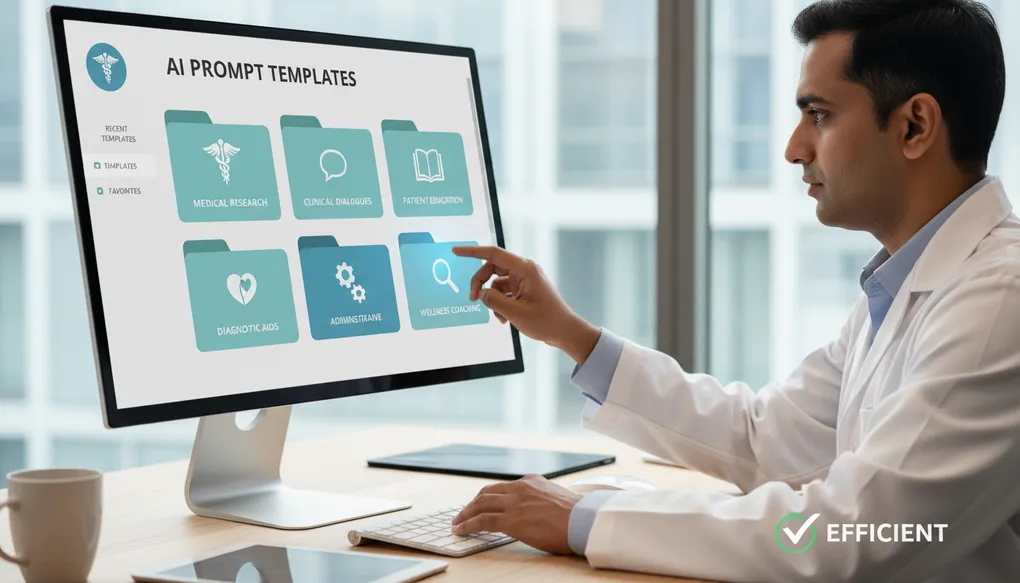
Creating a Prompt Library
Build your personal prompt library—organize, save, and reuse your best prompts for consistent, efficient AI-assisted workflows every day.
You have learned the 5-part prompt formula, mastered iteration, created patient instructions, and structured clinical notes. Now you have a new problem: every time you need a prompt, you are rewriting it from scratch.
That diabetes diet plan prompt you perfected last month? You cannot remember exactly how you phrased it. The discharge instruction template that worked so well? Lost in your chat history. The WhatsApp message format your receptionist loved? You have to recreate it every time.
A prompt library solves this. It is your personal collection of tested, refined prompts—organized, searchable, and ready to use. Think of it as your clinic formulary, but for AI interactions.
This article shows you how to build, organize, and maintain a prompt library that saves you time every single day.
What Problem This Solves
Without a prompt library, doctors face these daily frustrations:
Time wasted on recreation:
- Rewriting the same prompts repeatedly
- Trying to remember what worked last time
- Starting from scratch for common tasks
Inconsistent quality:
- Good prompts get forgotten
- Team members create varying quality outputs
- No standardization across the clinic
Lost institutional knowledge:
- When staff changes, their good prompts leave with them
- No way to share best practices
- Each person reinvents the wheel
The Indian clinic reality:
- Busy OPDs leave no time for prompt experimentation
- Staff turnover is common—knowledge walks out the door
- Multiple people need the same prompts (doctor, receptionist, assistant)
What a prompt library provides:
- Instant access to your best prompts
- Consistency across all team members
- Time savings of 5-10 minutes per prompt use
- Continuous improvement as prompts get refined
- Easy onboarding for new staff
How to Do It (Steps)
Step 1: Choose Your Storage Tool
Pick a tool based on your needs and comfort level. Here are options that work well in Indian clinics:
Simple Options (Free, Easy):
| Tool | Best For | Pros | Cons |
|---|---|---|---|
| Google Docs | Solo practitioners | Free, searchable, mobile access | Basic organization |
| WhatsApp Saved Messages | Quick access | Always on your phone | Hard to organize many prompts |
| Notes App (Phone) | Individual use | Instant access | No sharing capability |
Better Options (Organized):
| Tool | Best For | Pros | Cons |
|---|---|---|---|
| Google Sheets | Small teams | Easy sharing, table format | Can get cluttered |
| Notion (Free tier) | Growing libraries | Excellent organization, templates | Learning curve |
| Google Keep | Quick reference | Labeled, searchable, mobile | Limited formatting |
For Clinics with Teams:
| Tool | Best For | Pros | Cons |
|---|---|---|---|
| Shared Google Drive folder | Multi-staff clinics | Access control, familiar | Needs organization discipline |
| Notion Team Workspace | Larger practices | Powerful, collaborative | Requires setup time |
| Simple Word documents on shared computer | Basic clinics | No internet needed | Single point of access |
Recommendation: Start with Google Docs or Google Sheets. You can always migrate to something more sophisticated later.
Step 2: Create Your Category Structure
Organize prompts by how you will look for them—by use case, not by topic.
Recommended Categories for Medical Practice:
PROMPT LIBRARY STRUCTURE

1. PATIENT COMMUNICATION
   - Discharge instructions
   - Appointment reminders
   - Test result notifications
   - Follow-up messages
   - Health education

2. CLINICAL DOCUMENTATION
   - History structuring
   - SOAP notes
   - Referral letters
   - Case summaries
   - Prescription explanations

3. PATIENT EDUCATION
   - Disease explanations
   - Diet plans
   - Lifestyle guidance
   - Medication instructions
   - FAQ responses

4. ADMINISTRATIVE
   - WhatsApp messages
   - Email templates
   - Consent explanations
   - Billing explanations
   - Clinic announcements

5. TEACHING & CME
   - Case presentations
   - Patient counseling scripts
   - Staff training materials

6. SPECIAL SITUATIONS
   - Difficult conversations
   - Complaint responses
   - Medico-legal communications
Step 3: Use a Consistent Prompt Documentation Format
Every saved prompt should include standard information so anyone can use it effectively.
Prompt Documentation Template:
═══════════════════════════════════════════════════
PROMPT NAME: [Clear, descriptive name]
═══════════════════════════════════════════════════

CATEGORY: [Which folder/section]

PURPOSE: [What this prompt does - 1-2 sentences]

WHEN TO USE: [Specific situations where this applies]

PLACEHOLDERS: [List all [BRACKETS] that need filling]
- [PLACEHOLDER 1]: What to put here
- [PLACEHOLDER 2]: What to put here

THE PROMPT:
---
[Actual prompt text with [PLACEHOLDERS]]
---

EXAMPLE OUTPUT: [Optional - what good output looks like]

TIPS:
- [Any usage tips]
- [Common modifications]

VERSION: [v1.0, v1.1, etc.]
LAST UPDATED: [Date]
CREATED BY: [Name]
═══════════════════════════════════════════════════
Step 4: Start with Your Most Common Tasks
Do not try to build a complete library overnight. Start with prompts you use weekly or daily.
Quick-start approach:
- List your 5 most common AI tasks
- Create and save prompts for those 5 tasks
- Use them for one week
- Refine based on experience
- Add 2-3 more prompts each week
Step 5: Establish Naming Conventions
Good names help you find prompts quickly.
Naming Format: [Category Code]-[Task]-[Variant]
Examples:
PC-Discharge-PostSurgery(Patient Communication - Discharge - Post Surgery)PE-Diet-Diabetes-Vegetarian(Patient Education - Diet - Diabetes - Vegetarian)CD-SOAP-FollowUp(Clinical Documentation - SOAP - Follow Up)WA-Reminder-Appointment(WhatsApp - Reminder - Appointment)
Why this works:
- All patient communication prompts start with “PC”
- Easy to browse related prompts
- Searchable by any part of the name
Step 6: Implement Version Control
Prompts improve over time. Track changes so you do not lose good versions.
Simple Version Control:
- Add version number:
v1.0,v1.1,v2.0 - Minor improvements: increment decimal (v1.0 to v1.1)
- Major changes: increment whole number (v1.1 to v2.0)
- Keep previous version commented or in a “Archive” section
Example:
PROMPT: PE-Discharge-Cardiac-v2.1
CHANGES FROM v2.0: Added section on medication timing with meals
PREVIOUS VERSION: [Kept in archive folder]
Step 7: Share with Your Team
If you have staff, make the library accessible and train them.
Sharing Best Practices:
- Create a shared Google Drive folder with “View” access for staff
- Designate one person (usually you) with “Edit” access
- Hold a 15-minute training session on how to use prompts
- Create a simple “How to Use This Library” guide
- Review staff usage monthly and gather feedback
Example Prompts
Example 1: The Documented Prompt
Here is a fully documented prompt ready for your library:
═══════════════════════════════════════════════════
PROMPT NAME: PE-Diet-Diabetes-Vegetarian-v2.0
═══════════════════════════════════════════════════

CATEGORY: Patient Education > Diet Plans

PURPOSE: Creates a practical vegetarian diabetes diet plan with
Indian foods, portion sizes in familiar measurements, and festival
guidance.

WHEN TO USE:
- Newly diagnosed Type 2 diabetes patients
- Patients requesting written diet guidance
- Vegetarian patients needing meal planning help

PLACEHOLDERS:
- [AGE]: Patient's age
- [GENDER]: Male/Female
- [REGION]: North India/South India/West India/East India
- [BUDGET]: Low/Moderate/Good
- [COOKING-SITUATION]: Cooks at home/Tiffin service/Eats out often

THE PROMPT:
---
Role: Act as a diabetes educator at an Indian clinic who specializes
in practical, affordable diet planning.

Context:
- Patient: [AGE]-year-old [GENDER], vegetarian
- Region: [REGION] (use regional food preferences)
- Budget: [BUDGET]
- Cooking situation: [COOKING-SITUATION]
- Newly diagnosed Type 2 diabetes, no complications yet
- Family eats together, cannot cook separate meals

Task: Create a practical 7-day meal plan they can follow without
major lifestyle disruption.

Format:
- Table format with Breakfast, Mid-morning, Lunch, Evening, Dinner
- Portion sizes in katori/cup/roti/piece measurements
- Include 2-3 quick options for busy days
- Add a "Festival Eating Guide" section at the end

Constraints:
- Only commonly available, affordable Indian foods
- No imported or expensive "health foods"
- Realistic portions (not tiny diet portions)
- Include at least one protein source per meal
- Keep total under 500 words
- End with 3 "Golden Rules" they can remember easily
---

TIPS:
- For South Indian patients, change to v2.0-South variant
- Can add pregnancy modifications if needed
- Works well with iteration: "Make it simpler" or "Add snack ideas"

VERSION: v2.0
LAST UPDATED: Feb 2026
CREATED BY: Dr. [Your Name]
═══════════════════════════════════════════════════
Example 2: A Simple Quick-Reference Prompt
Not every prompt needs full documentation. For frequently used, simple prompts:
═══════════════════════════════════════════════════
PROMPT NAME: WA-Reminder-Appointment-Basic
═══════════════════════════════════════════════════

PURPOSE: WhatsApp appointment reminder with report checklist

THE PROMPT:
---
Write a friendly WhatsApp appointment reminder message in
Hindi-English mix:
- Patient: [NAME]
- Date: [DATE]
- Time: [TIME]
- Doctor: [DOCTOR NAME]
- Bring: [ITEMS TO BRING]

Keep it to 4-5 lines. Warm but professional tone.
---

VERSION: v1.2
═══════════════════════════════════════════════════
Example 3: Complex Clinical Prompt
═══════════════════════════════════════════════════
PROMPT NAME: CD-History-Structuring-OPD
═══════════════════════════════════════════════════

CATEGORY: Clinical Documentation > History Taking

PURPOSE: Converts rambling patient complaints into structured
clinical history format.

WHEN TO USE: During or after OPD consultation when you need to
convert verbal history into documentation.

PLACEHOLDERS:
- [AGE]: Patient age
- [GENDER]: Male/Female
- [SPECIALTY]: Your specialty (General/Cardio/Gastro/etc.)
- [RAW-COMPLAINT]: The complaint as patient described it (de-identified)

THE PROMPT:
---
Role: Act as a medical documentation assistant familiar with
Indian clinical practice.

Context: I am a [SPECIALTY] doctor documenting an OPD consultation.

Task: Convert this patient's complaint into structured clinical
documentation.

Patient: [AGE]-year-old [GENDER]

Raw complaint (de-identified):
"[RAW-COMPLAINT]"

Format:
- Chief Complaint (one line)
- History of Present Illness (OPQRST format where applicable)
- Associated symptoms
- Relevant negatives to document
- Points to clarify with patient

Constraints:
- Keep concise (suitable for busy OPD)
- Use standard medical documentation language
- Do not add information not provided
- Mark assumptions with [?] for verification
---

TIPS:
- Works with Hindi-English mixed complaints
- Follow up with "Add SOAP format" if needed

VERSION: v1.5
═══════════════════════════════════════════════════
Bad Prompt to Improved Prompt
Scenario: Saving a prompt without documentation
Bad Approach: You copy a prompt that worked and paste it into a note:
Write diabetes diet plan for vegetarian patient with Indian foods
and portions in katori. Make it practical.
Three months later, you find this prompt and have no idea:
- What the output looked like
- What placeholders to customize
- Whether this was the improved version or an early draft
- If there are tips for using it
Improved Approach: Save with proper documentation:
═══════════════════════════════════════════════════
PROMPT NAME: PE-Diet-Diabetes-Veg-Quick
═══════════════════════════════════════════════════

PURPOSE: Quick diabetes diet plan for vegetarian patients

WHEN TO USE: When patient asks for written diet guidance

PLACEHOLDERS: [AGE], [GENDER], [REGION]

THE PROMPT:
---
Role: Diabetes educator at Indian clinic.

Context: [AGE]-year-old [GENDER] vegetarian patient from [REGION],
newly diagnosed Type 2 diabetes. Cooks at home, moderate budget.

Task: Create practical 7-day meal plan with Indian vegetarian foods.

Format: Table with Breakfast/Lunch/Dinner. Portions in katori/roti.

Constraints:
- Common, affordable foods only
- Include protein each meal
- Add 3 "Golden Rules" at end
- Under 400 words
---

TIPS:
- For detailed version, use PE-Diet-Diabetes-Vegetarian-v2.0
- Iterate with "Add festival eating tips" if needed

VERSION: v1.0
═══════════════════════════════════════════════════
Common Mistakes
| Mistake | Why It Fails | How to Fix |
|---|---|---|
| Saving prompts without context | Cannot remember how to use them | Use documentation template |
| No naming convention | Cannot find prompts quickly | Implement Category-Task-Variant format |
| Keeping only latest version | Lose good earlier versions | Add version numbers, keep archive |
| Not sharing with team | Everyone recreates same prompts | Create shared accessible library |
| Adding too many prompts at once | Library becomes overwhelming | Add 2-3 weekly, quality over quantity |
| No placeholders marked | Users do not know what to customize | Use [BRACKETS] consistently |
| Saving unrefined prompts | Library fills with mediocre prompts | Only save prompts after testing |
| Organizing by topic not use case | Hard to find what you need in moment | Organize by situation (Discharge, Reminder, etc.) |
Clinic-Ready Templates
Template 1: Complete Library Structure (Google Doc/Notion)
Copy this structure to start your library:
═══════════════════════════════════════════════════════════════
            DR. [YOUR NAME]'S PROMPT LIBRARY
                    Version 1.0 | [Date]
═══════════════════════════════════════════════════════════════

TABLE OF CONTENTS
-----------------
1. Patient Communication (PC)
2. Clinical Documentation (CD)
3. Patient Education (PE)
4. Administrative (AD)
5. Teaching & CME (TC)
6. Archive (Old Versions)

HOW TO USE THIS LIBRARY
-----------------------
1. Find the category that matches your task
2. Copy the prompt
3. Replace all [PLACEHOLDERS] with actual information
4. Paste into AI tool
5. Review and refine output as needed

PLACEHOLDER GUIDE
-----------------
[AGE] = Patient's age (e.g., 45)
[GENDER] = Male/Female
[CONDITION] = Medical condition (e.g., Type 2 Diabetes)
[REGION] = North/South/East/West India
[EDUCATION] = Basic/Moderate/Good
[LANGUAGE] = Hindi/English/Regional language

═══════════════════════════════════════════════════════════════
SECTION 1: PATIENT COMMUNICATION (PC)
═══════════════════════════════════════════════════════════════

[Add prompts here using documentation template]

═══════════════════════════════════════════════════════════════
SECTION 2: CLINICAL DOCUMENTATION (CD)
═══════════════════════════════════════════════════════════════

[Add prompts here using documentation template]

═══════════════════════════════════════════════════════════════
SECTION 3: PATIENT EDUCATION (PE)
═══════════════════════════════════════════════════════════════

[Add prompts here using documentation template]

═══════════════════════════════════════════════════════════════
SECTION 4: ADMINISTRATIVE (AD)
═══════════════════════════════════════════════════════════════

[Add prompts here using documentation template]

═══════════════════════════════════════════════════════════════
SECTION 5: TEACHING & CME (TC)
═══════════════════════════════════════════════════════════════

[Add prompts here using documentation template]

═══════════════════════════════════════════════════════════════
SECTION 6: ARCHIVE
═══════════════════════════════════════════════════════════════

[Keep old versions of updated prompts here]
Template 2: Quick Prompt Card (For Printing)
Create pocket-sized reference cards:
┌─────────────────────────────────────────────┐
│  [PROMPT NAME]                              │
│  Category: [CATEGORY]                       │
├─────────────────────────────────────────────┤
│  USE FOR:                                   │
│  [When to use - 1 line]                     │
├─────────────────────────────────────────────┤
│  FILL IN:                                   │
│  □ [PLACEHOLDER 1]                          │
│  □ [PLACEHOLDER 2]                          │
│  □ [PLACEHOLDER 3]                          │
├─────────────────────────────────────────────┤
│  PROMPT:                                    │
│  [Abbreviated prompt or reference to        │
│   full version in library]                  │
├─────────────────────────────────────────────┤
│  TIP: [One key usage tip]                   │
│                                   v[X.X]    │
└─────────────────────────────────────────────┘
Template 3: Team Access Document
═══════════════════════════════════════════════════════════════
    CLINIC PROMPT LIBRARY - STAFF GUIDE
═══════════════════════════════════════════════════════════════

WHO CAN USE: All clinic staff
WHO CAN EDIT: Dr. [Name] only
LOCATION: [Google Drive link / Computer location]

WHAT THIS IS:
Ready-made prompts for common tasks. Use these instead of
writing new prompts each time.

HOW TO USE:
1. Open the Prompt Library document
2. Find the prompt you need (use Table of Contents)
3. Copy the entire prompt
4. Replace words in [BRACKETS] with real information
5. Paste into ChatGPT/Claude/AI tool
6. ALWAYS review output before using with patients

IMPORTANT RULES:
✓ DO replace all [BRACKETS] before using
✓ DO review every AI output before sending to patients
✓ DO tell Dr. [Name] if a prompt is not working well
✗ DON'T share patient names/identifiable info with AI
✗ DON'T edit prompts without permission
✗ DON'T use AI output without checking it first

COMMON PROMPTS FOR RECEPTION:
- WA-Reminder-Appointment: Appointment reminder messages
- WA-Report-Ready: Test result pickup notification
- AD-Reschedule-Request: When patient wants to change appointment

QUESTIONS?
Ask Dr. [Name] or [Staff coordinator name]

═══════════════════════════════════════════════════════════════
Safety Note
Library Safety Principles:
-
No patient information in saved prompts. Prompts should have [PLACEHOLDERS], never actual patient details. Your library should be safe to share without privacy concerns.
-
Review prompts before adding to library. Only add prompts that have been tested and produce safe, accurate outputs. A bad prompt in the library gets used repeatedly.
-
Train staff on AI limitations. When sharing your library with staff, ensure they understand:
- AI outputs must always be reviewed
- Never share identifiable patient information
- AI assists; it does not decide
-
Mark sensitive prompts. If a prompt deals with medico-legal content, complaints, or sensitive communications, add a warning:
⚠️ SENSITIVE: Output must be reviewed by doctor before use -
Regular library review. Schedule quarterly reviews to:
- Remove outdated prompts
- Update prompts with latest guidelines
- Remove prompts that produce inconsistent results
-
Access control for teams. Not all staff need all prompts. Consider:
- Reception: Administrative prompts only
- Nursing staff: Patient education prompts
- Doctors: Full access
Copy-Paste Prompts
Here is a starter library of essential prompts ready to copy into your library:
Prompt 1: Discharge Instructions Generator
═══════════════════════════════════════════════════
PROMPT: PC-Discharge-General-v1.0
═══════════════════════════════════════════════════
Role: Act as a patient educator at an Indian hospital.

Context:
- Patient: [AGE]-year-old [GENDER]
- Condition: [DIAGNOSIS/PROCEDURE]
- Education level: [BASIC/MODERATE/GOOD]
- Family support: [YES/NO]

Task: Write clear discharge instructions they can follow at home.

Format:
- Medications section (numbered, I will add dosages)
- Warning signs (bullet points with "Go to hospital if...")
- Daily care checklist
- Follow-up information

Constraints:
- Use simple Hindi-English that [EDUCATION LEVEL] patient understands
- Under 250 words
- Do not include specific dosages (I will add)
- Include emergency contact reminder
═══════════════════════════════════════════════════
Prompt 2: WhatsApp Appointment Reminder
═══════════════════════════════════════════════════
PROMPT: WA-Reminder-Appointment-v1.0
═══════════════════════════════════════════════════
Role: Friendly clinic receptionist.

Task: Write WhatsApp appointment reminder.

Details:
- Patient name: [NAME]
- Appointment: [DATE] at [TIME]
- Doctor: [DOCTOR NAME]
- Bring: [ITEMS - e.g., previous reports, fasting, medicine list]

Format: 4-5 lines, Hindi-English mix.

Constraints:
- Warm but professional
- Include clinic contact number: [NUMBER]
- Remind them to confirm by replying
═══════════════════════════════════════════════════
Prompt 3: Complaint-to-Structure Converter
═══════════════════════════════════════════════════
PROMPT: CD-History-QuickStructure-v1.0
═══════════════════════════════════════════════════
Convert this patient complaint into structured clinical note:

Patient: [AGE]-year-old [GENDER]
Complaint: "[PASTE DE-IDENTIFIED COMPLAINT HERE]"

Format:
- Chief Complaint (one line)
- HPI (onset, duration, severity, associated symptoms)
- Pertinent negatives to ask about

Keep brief for OPD documentation. Mark unclear points with [?].
═══════════════════════════════════════════════════
Prompt 4: Diet Plan Template
═══════════════════════════════════════════════════
PROMPT: PE-Diet-General-v1.0
═══════════════════════════════════════════════════
Role: Nutritionist at Indian clinic.

Context:
- Patient: [AGE]-year-old [GENDER], [VEG/NON-VEG]
- Condition: [CONDITION requiring diet modification]
- Region: [REGION] (for food preferences)
- Budget: [LOW/MODERATE/GOOD]
- Cooks at home: [YES/NO]

Task: Create practical 7-day meal plan.

Format:
- Table: Breakfast | Lunch | Dinner
- Portions in katori/roti/cup
- Include 2-3 quick alternatives for busy days
- Add "Foods to Avoid" section
- End with 3 easy-to-remember rules

Constraints:
- Common, affordable Indian foods only
- Realistic portions
- Under 400 words
═══════════════════════════════════════════════════
Prompt 5: Test Result Explanation
═══════════════════════════════════════════════════
PROMPT: PE-TestResult-Explanation-v1.0
═══════════════════════════════════════════════════
Role: Caring physician explaining results to patient.

Context:
- Patient: [AGE]-year-old, [ANXIOUS/CALM] about results
- Test: [TEST NAME]
- Finding: [BRIEF FINDING - e.g., "slightly elevated cholesterol"]

Task: Explain what this result means in simple terms.

Format:
- What the test measures (1 sentence)
- What the result shows (2-3 sentences)
- What this means for them (practical implications)
- Next steps

Constraints:
- Under 150 words
- No medical jargon (explain if unavoidable)
- Reassuring tone without minimizing
- Clear next steps
- Do not diagnose - use "suggests" or "may indicate"
═══════════════════════════════════════════════════
Prompt 6: Follow-up Message
═══════════════════════════════════════════════════
PROMPT: WA-FollowUp-Check-v1.0
═══════════════════════════════════════════════════
Role: Caring clinic following up with patient.

Context:
- Patient: [NAME]
- Visited for: [CONDITION/PROCEDURE]
- Visit date: [X days/weeks ago]
- Current treatment: [BRIEFLY]

Task: Write a follow-up WhatsApp message checking on their recovery.

Format: 5-6 lines, Hindi-English mix.

Constraints:
- Warm, caring tone
- Ask specific questions about their recovery
- Remind about next appointment if applicable
- Include "Reply to this message if any concerns"
- Do not include medical advice in message
═══════════════════════════════════════════════════
Prompt 7: Referral Letter Helper
═══════════════════════════════════════════════════
PROMPT: CD-Referral-Letter-v1.0
═══════════════════════════════════════════════════
Role: Medical professional writing referral letter.

Context:
- Patient: [AGE]-year-old [GENDER]
- Referring from: [YOUR SPECIALTY]
- Referring to: [SPECIALIST TYPE]
- Reason: [BRIEF REASON FOR REFERRAL]

Clinical details:
- History: [KEY HISTORY]
- Findings: [KEY EXAMINATION FINDINGS]
- Investigations: [RELEVANT RESULTS]
- Current treatment: [IF ANY]

Task: Write a professional referral letter.

Format:
- Proper letter format
- Clinical summary (brief)
- Specific reason for referral
- Questions for specialist
- Contact information for queries

Constraints:
- Professional medical language
- Under 200 words
- Focus on relevant details only
- Leave [BLANK] for details I need to add
═══════════════════════════════════════════════════
Prompt 8: Patient Education Handout
═══════════════════════════════════════════════════
PROMPT: PE-Handout-Condition-v1.0
═══════════════════════════════════════════════════
Role: Patient educator creating a handout for clinic use.

Context:
- Condition: [CONDITION NAME]
- Patient type: [NEWLY DIAGNOSED/MANAGING LONG-TERM]
- Education level: [BASIC/MODERATE/GOOD]
- Language preference: [SIMPLE ENGLISH/HINDI-ENGLISH MIX]

Task: Create a patient-friendly information handout.

Format:
- What is [CONDITION]? (simple explanation)
- Why does it happen? (2-3 common causes)
- What should I do? (management in bullet points)
- Warning signs to watch for
- Frequently asked questions (3-4 Q&As)

Constraints:
- Use [8th standard/10th standard] English
- Include local context where relevant
- Under 300 words
- Reassuring but honest tone
- Include "Ask your doctor" for specific questions
═══════════════════════════════════════════════════
Prompt 9: Medication Explanation
═══════════════════════════════════════════════════
PROMPT: PE-Medication-Explanation-v1.0
═══════════════════════════════════════════════════
Role: Pharmacist/doctor explaining medication to patient.

Context:
- Medication: [MEDICINE NAME] for [CONDITION]
- Patient: [AGE]-year-old, [EDUCATION LEVEL]
- New prescription: [YES/NO]

Task: Explain this medication in simple terms.

Format:
- What this medicine does (1-2 sentences)
- How to take it (timing, with food/empty stomach)
- Common side effects to expect
- Warning signs (when to contact doctor)
- Important interactions to avoid

Constraints:
- Simple language patient can understand
- Under 150 words
- Do not include dosage (doctor will specify)
- Reassuring tone
- Include "Do not stop without asking doctor"
═══════════════════════════════════════════════════
Prompt 10: Consent Explanation
═══════════════════════════════════════════════════
PROMPT: PC-Consent-Explanation-v1.0
═══════════════════════════════════════════════════
Role: Doctor explaining a procedure to patient for informed consent.

Context:
- Procedure: [PROCEDURE NAME]
- Patient: [AGE]-year-old [GENDER]
- Education level: [BASIC/MODERATE/GOOD]
- Anxiety level: [LOW/MODERATE/HIGH]

Task: Explain the procedure for informed consent discussion.

Format:
- What the procedure involves (simple terms)
- Why it is being recommended
- What to expect (before, during, after)
- Risks and benefits (honest, balanced)
- Alternatives if they choose not to proceed
- Questions to ask the doctor

Constraints:
- [EDUCATION LEVEL] language
- Balanced presentation of risks (not scary, not dismissive)
- Under 250 words
- Include "You have the right to ask questions"
- End with "Take time to decide"
═══════════════════════════════════════════════════
Do’s and Don’ts
Do’s
- Do start small—5-10 essential prompts is better than 50 untested ones
- Do use consistent naming conventions from the start
- Do document prompts with purpose, placeholders, and tips
- Do version control your prompts as they improve
- Do share the library with staff and train them to use it
- Do review and update prompts quarterly
- Do save prompts only after testing and refining them
- Do organize by use case (how you will search for it)
- Do keep archive of old versions before updating
- Do mark sensitive prompts that need doctor review
Don’ts
- Don’t save prompts with actual patient information
- Don’t add every prompt you create—curate for quality
- Don’t let the library become cluttered with variations
- Don’t forget to train staff on AI output review
- Don’t assume a prompt works forever—guidelines change
- Don’t skip placeholders (users will not know what to customize)
- Don’t share edit access widely—one curator is better
- Don’t create prompts for tasks that need clinical judgment
- Don’t forget to back up your library regularly
- Don’t ignore staff feedback about prompts that do not work
1-Minute Takeaway
A prompt library saves you from recreating the same work every day.
Quick Setup (Do This Week):
- Choose storage: Start with Google Docs or Sheets
- Create categories: Patient Communication, Clinical Documentation, Patient Education, Administrative
- Save 5 prompts: Your most common tasks, properly documented
- Use naming convention:
Category-Task-Variant(e.g.,PC-Discharge-PostSurgery) - Add version numbers: Start with v1.0, increment as you improve
The Documentation Minimum:
PROMPT NAME: [Clear name]
PURPOSE: [What it does]
PLACEHOLDERS: [What to fill in]
THE PROMPT: [Actual prompt with [BRACKETS]]
VERSION: [v1.0]
Library Growth Formula:
- Week 1: Save 5 most-used prompts
- Each week: Add 2-3 more as you need them
- Each month: Review and refine existing prompts
- Each quarter: Remove outdated prompts, update for new guidelines
Remember: The best prompt library is one you actually use. Start simple, grow gradually, and you will save hours every month while getting more consistent results.
This article integrates techniques from the entire Indigital Prompt Engineering Guide—the 5-Part Formula (B1), Format Control (B2), Iteration (B4), and all the D and E series application articles. Your prompt library is where all that learning becomes reusable clinical efficiency.