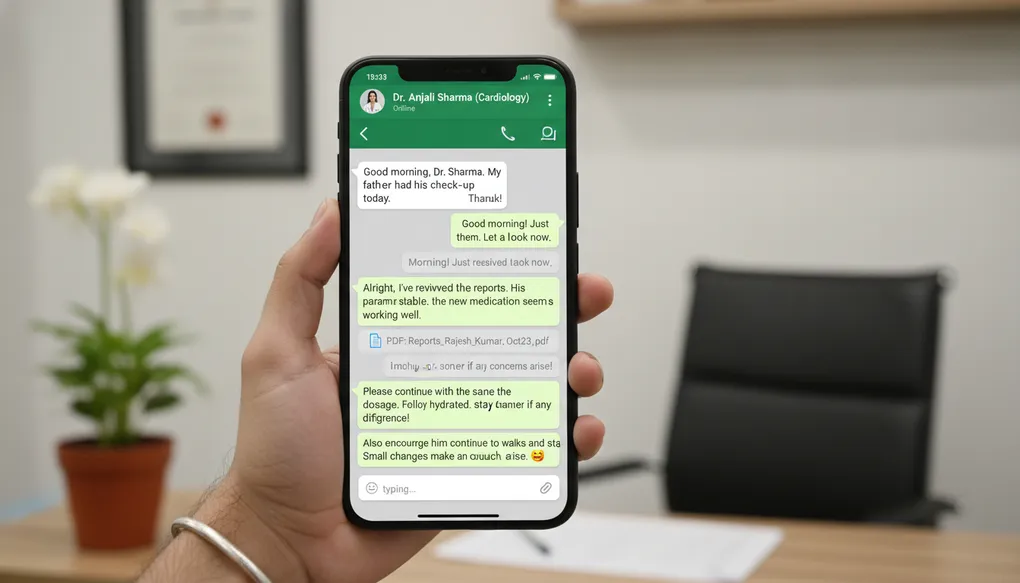
WhatsApp-Ready Patient Messages
Create professional WhatsApp messages for appointment reminders, test results, and follow-ups—mobile-friendly communication that patients actually read.
In India, WhatsApp is how patients want to hear from you. Not emails. Not phone calls during work hours. Not formal letters. A simple WhatsApp message gets read within minutes—often within seconds.
But WhatsApp has rules. No markdown formatting. Character limits matter. Long messages get ignored. And most importantly: what you write becomes a permanent record on the patient’s phone.
This article teaches you how to create WhatsApp-ready messages using AI—professional, safe, and actually effective.
What Problem This Solves
Doctors and clinic staff waste time on patient communication that does not work:
- Appointment reminders that patients miss because they are too long
- Follow-up messages that look unprofessional or get lost in chat
- Test result notifications that accidentally reveal too much medical information
- Bulk messages that feel impersonal and get ignored
The core challenges with WhatsApp:
- No bullet points, headers, or formatting—asterisks and dashes look messy
- Messages over 3-4 lines get “collapsed” and patients do not expand them
- Medical information sent via WhatsApp creates privacy and medico-legal risks
- Patients screenshot and share messages—anything you write can spread
The solution: AI-generated messages specifically optimised for WhatsApp—short, plain text, professional, and privacy-safe.
How to Do It (Steps)
Step 1: Choose Your Message Type
Common WhatsApp message categories for clinics:
| Message Type | Purpose | Typical Length |
|---|---|---|
| Appointment reminder | Confirm date, time, what to bring | 3-4 lines |
| Pre-visit preparation | Fasting, reports, documents needed | 4-5 lines |
| Normal test result | Brief reassurance, collect report | 2-3 lines |
| Follow-up reminder | Return date, what to monitor | 3-4 lines |
| General health tip | Seasonal advice, clinic updates | 3-4 lines |
| Clinic announcement | Timings, holidays, new services | 3-4 lines |
Step 2: Structure Your Prompt for WhatsApp
Every WhatsApp prompt should include:
- Role: Clinic coordinator or receptionist voice
- Context: Patient type and message purpose
- Task: Specific message to write
- Format: “Plain text only, no bullets, no special characters”
- Constraints: Character limit, privacy rules, tone
Step 3: Apply the WhatsApp Format Rules
Always add these constraints to your prompts:
Format: Plain text only. No bullets, asterisks, dashes, or headers.
Limit: Under 400 characters (ideal) or 500 characters (maximum).
Tone: Professional but warm. Respectful.
Privacy: Do not include diagnosis, test values, or specific medical details.
Step 4: Include Essential Elements
Every clinic WhatsApp message should have:
- Greeting with patient name (builds trust)
- Clear action or information
- Clinic name and contact (for legitimacy)
- Polite closing
Step 5: Review Before Sending
Before using any AI-generated WhatsApp message:
- Check character count (most phones show ~400 characters before collapsing)
- Read it on a mobile screen—does it look right?
- Verify no confidential medical information is included
- Ensure the tone is appropriate
Example Prompts
Example 1: Appointment Reminder
You are a friendly clinic receptionist sending a WhatsApp reminder.

Context: Patient has an appointment tomorrow at 10:30 AM with Dr. Sharma for a general checkup. They need to bring previous reports and come with an empty stomach for blood tests.

Task: Write a WhatsApp appointment reminder.

Format: Plain text only. No bullets, asterisks, or special characters.
Limit: Under 350 characters.
Tone: Warm but professional.
Include: Date, time, doctor name, what to bring, fasting reminder, clinic contact.
Sample output:
Namaste! This is a reminder from Sharma Clinic. Your appointment with Dr. Sharma is tomorrow (15 Jan) at 10:30 AM. Please come on empty stomach for blood tests and bring your previous reports. For queries call 98765-43210. Thank you!
Example 2: Normal Test Results Ready
You are a clinic coordinator notifying a patient about test results.

Context: Patient had routine blood tests done 2 days ago. Results are normal. They need to collect the report from the clinic.

Task: Write a WhatsApp message informing them results are ready.

Format: Plain text only. No bullets or special formatting.
Limit: Under 300 characters.
Privacy: Do not mention specific test names, values, or any medical details.
Tone: Reassuring but brief.
Include: Results ready, where to collect, clinic timing, contact number.
Sample output:
Hello! Your test reports from Sharma Clinic are ready for collection. Everything looks good. Please visit the clinic between 9 AM - 6 PM to collect. Contact: 98765-43210. Thank you!
Example 3: Follow-Up Reminder
You are a clinic assistant sending a follow-up reminder.

Context: Patient visited 2 weeks ago for blood pressure management. They were asked to return after 2 weeks with home BP readings. Follow-up is due this week.

Task: Write a WhatsApp follow-up reminder.

Format: Plain text only. No bullets or headers.
Limit: Under 400 characters.
Privacy: Do not mention the specific condition or diagnosis.
Tone: Caring and professional.
Include: Reminder to book follow-up, what to bring (readings), clinic contact.
Sample output:
Hello from Sharma Clinic! It has been 2 weeks since your last visit. Dr. Sharma would like to see you for a follow-up this week. Please bring your home readings notebook. To book your appointment call 98765-43210 or reply to this message. Take care!
Example 4: Pre-Visit Preparation Instructions
You are a clinic coordinator sending preparation instructions.

Context: Patient is scheduled for an ultrasound abdomen tomorrow morning. They need to fast overnight and drink 4 glasses of water 1 hour before the test (full bladder required).

Task: Write WhatsApp preparation instructions.

Format: Plain text only. No formatting.
Limit: Under 450 characters.
Tone: Clear and helpful.
Include: What to do tonight, what to do morning, timing, contact for questions.
Sample output:
Hello! Reminder for your ultrasound tomorrow at Sharma Clinic. Please do not eat anything after 10 PM tonight. In the morning drink 4 glasses of water about 1 hour before your appointment time and do not pass urine. This helps us get clear images. Questions? Call 98765-43210. See you tomorrow!
Example 5: Clinic Announcement (Holiday/Timing Change)
You are sending a clinic announcement to patients.

Context: Clinic will be closed on 26th January (Republic Day). Regular timings resume from 27th January. For emergencies, patients should contact the hospital helpline.

Task: Write a WhatsApp announcement about the holiday closure.

Format: Plain text only.
Limit: Under 350 characters.
Tone: Informative and polite.
Include: Closure date, when reopening, emergency contact alternative.
Sample output:
Namaste from Sharma Clinic! We will be closed on 26th January for Republic Day. Regular consultations resume from 27th January 9 AM onwards. For emergencies please contact City Hospital helpline 1800-XXX-XXXX. Wishing you a happy Republic Day!
Bad Prompt to Improved Prompt
Bad Prompt
Write a WhatsApp message telling the patient their diabetes test results are slightly high and they need to come back.Problems:
- Reveals specific diagnosis (diabetes) in message
- Mentions test results are “high”—creates anxiety and privacy issues
- No format constraints—may include bullets or long paragraphs
- No character limit—message may be too long
- Patient may screenshot and share—medical info now exposed
Improved Prompt
You are a clinic coordinator sending a test result notification via WhatsApp.

Context: Patient had lab tests done. Doctor has reviewed and would like to discuss the results in person. No emergency.

Task: Write a WhatsApp message asking them to schedule a follow-up visit.

Format: Plain text only. No bullets, asterisks, or special characters.
Limit: Under 300 characters.
Privacy: Do NOT mention what tests were done, what condition is being monitored, or whether results are normal/abnormal. Simply ask them to visit.
Tone: Professional, calm, not alarming.
Include: Results reviewed, please visit, clinic contact.
Sample output:
Hello from Sharma Clinic! Dr. Sharma has reviewed your recent test reports and would like to discuss them with you. Please call 98765-43210 to schedule a convenient time this week. Thank you!
Why this is better:
- No diagnosis mentioned
- No indication if results are good or bad
- Patient dignity protected
- If screenshotted, reveals nothing sensitive
- Short enough to display fully on mobile
Common Mistakes
Mistake 1: Including Medical Details
Wrong: “Your HbA1c is 8.2%, which is above normal. Please come for diabetes review.”
Right: “Your test reports are ready. Dr. Sharma would like to discuss them with you. Please call to schedule.”
Why: WhatsApp messages are not secure medical records. Patients share phones with family. Messages get forwarded. Never include diagnosis, test values, or treatment details.
Mistake 2: Using Formatting That Breaks
Wrong:
- Bring reports
- Come fasting
- Reach by 9 AM
Right: “Please bring your reports, come on empty stomach, and reach by 9 AM.”
Why: Bullet points display as plain dashes or asterisks on WhatsApp. They look unprofessional and are harder to read on mobile.
Mistake 3: Writing Messages That Are Too Long
Wrong: A 6-paragraph message with detailed instructions, warnings, and multiple reminders.
Right: 3-4 short sentences with one clear action.
Why: Long messages get collapsed. Patients do not tap “Read more.” Keep it scannable.
Mistake 4: Forgetting the Clinic Identity
Wrong: “Hi, your appointment is tomorrow at 10 AM.”
Right: “Hello from Sharma Clinic! Your appointment with Dr. Sharma is tomorrow at 10 AM.”
Why: Patients receive many messages. Without clinic name, your message looks like spam or gets confused with other appointments.
Mistake 5: Alarming Language for Routine Matters
Wrong: “URGENT: Please call immediately regarding your test results.”
Right: “Your test results are ready. Please visit the clinic at your convenience this week.”
Why: Alarming language causes unnecessary anxiety. Reserve urgent language for genuine emergencies only.
Mistake 6: No Clear Action
Wrong: “Hope you are doing well. Just checking in about your health.”
Right: “Your follow-up is due this week. Please call 98765-43210 to book your appointment.”
Why: Every clinic message should have a clear purpose and action. Vague messages waste patient time and yours.
Clinic-Ready Templates
Template 1: Appointment Reminder (Universal)
You are a clinic receptionist sending appointment reminders via WhatsApp.

Patient: [NAME]
Appointment: [DATE] at [TIME] with [DOCTOR NAME]
Special instructions: [FASTING/BRING REPORTS/OTHER or NONE]

Task: Write a WhatsApp appointment reminder.

Format: Plain text only. No bullets or special characters.
Limit: Under 400 characters.
Tone: Warm and professional.
Include: Patient name, date, time, doctor, any preparation needed, clinic contact number [CLINIC PHONE].
Do not include: Any medical condition or reason for visit.
Template 2: Test Results Notification (Safe Version)
You are a clinic coordinator notifying patients about test results.

Scenario: [NORMAL - ready for collection / NEEDS DISCUSSION - doctor wants to review with patient]

Task: Write a WhatsApp message about test results.

Format: Plain text only.
Limit: Under 300 characters.
Privacy rules:
- Do NOT mention what tests were done
- Do NOT mention if results are normal or abnormal
- Do NOT include any values or medical terms
- Simply inform results are ready OR doctor wants to discuss

Tone: [If normal: brief and reassuring / If needs discussion: calm, not alarming]
Include: Clinic name [CLINIC NAME], contact [CLINIC PHONE].
Template 3: Bulk Health Tip Message
You are a clinic health educator sending a seasonal health tip.

Topic: [MONSOON HEALTH / SUMMER HYDRATION / WINTER FLU PREVENTION / FESTIVAL DIET TIPS / OTHER]

Task: Write a short WhatsApp health tip that can be sent to all clinic patients.

Format: Plain text only. No bullets.
Limit: Under 400 characters.
Tone: Friendly, helpful, not preachy.
Include: One practical tip, clinic name, a warm sign-off.
Do not include: Any medical advice that requires personalisation. Keep it general wellness.
Template 4: Follow-Up Due Reminder
You are a clinic assistant sending follow-up reminders.

Context: Patient visited [X WEEKS/MONTHS] ago. Follow-up is now due. They should bring [READINGS/REPORTS/NOTHING SPECIFIC].

Task: Write a WhatsApp follow-up reminder.

Format: Plain text only.
Limit: Under 400 characters.
Privacy: Do not mention the condition or diagnosis.
Tone: Caring and professional.
Include: Time since last visit, request to schedule, what to bring (if applicable), clinic contact [CLINIC PHONE].
Safety Note
WhatsApp is NOT a secure medical communication channel. Every message you send should follow these rules:
What You Can Send via WhatsApp:
- Appointment reminders (date, time, location)
- Preparation instructions (fasting, what to bring)
- Generic notification that results are ready
- Request to call or visit the clinic
- General health tips (non-personalised)
- Clinic announcements (timings, holidays)
What You Should NEVER Send via WhatsApp:
- Diagnosis or suspected diagnosis
- Test results or values (even “normal” with numbers)
- Medication names or dosages
- Treatment plans or changes
- Sensitive conditions (mental health, STIs, HIV, cancer)
- Any information that could embarrass patient if seen by others
Consent Matters
Before adding patients to your WhatsApp communication:
- Get explicit consent (verbal or written)
- Explain what types of messages you will send
- Offer opt-out option
- Document consent in patient records
Remember: That helpful message you send could be seen by the patient’s spouse, parent, child, employer, or anyone who picks up their phone. Write accordingly.
Bulk Messaging Considerations
If you send bulk messages to multiple patients:
- Never use group messages (everyone sees each other’s numbers)
- Use broadcast lists (messages appear as individual chats)
- Ensure your bulk messaging complies with clinic policy
- Keep records of what was sent and when
- Have an opt-out process for patients who do not want messages
Copy-Paste Prompts
Prompt 1: Quick Appointment Reminder
You are a friendly clinic receptionist.

Write a WhatsApp appointment reminder for a patient visiting [DOCTOR NAME] on [DATE] at [TIME]. They should [BRING PREVIOUS REPORTS / COME FASTING / NO SPECIAL PREPARATION].

Format: Plain text only. No bullets or formatting.
Limit: Under 350 characters.
Tone: Warm and professional.
Include clinic name [CLINIC NAME] and contact [PHONE NUMBER].
Do not mention any medical condition.
Prompt 2: Results Ready - Normal
You are a clinic coordinator.

Write a WhatsApp message telling a patient their test reports are ready for collection. Results are normal. Keep it brief and reassuring.

Format: Plain text only.
Limit: Under 250 characters.
Privacy: Do not mention test names or any values.
Include: Clinic name [CLINIC NAME], collection timing, contact [PHONE].
Prompt 3: Results Ready - Doctor Wants to Discuss
You are a clinic coordinator.

Write a WhatsApp message asking a patient to schedule a visit because the doctor wants to discuss their test results. Do NOT alarm them. Do NOT indicate if results are good or bad.

Format: Plain text only.
Limit: Under 300 characters.
Tone: Calm, professional, not urgent.
Privacy: No medical details whatsoever.
Include: Clinic name [CLINIC NAME], request to call for appointment, contact [PHONE].
Prompt 4: Follow-Up Reminder
You are a clinic assistant.

Write a WhatsApp reminder for a patient whose follow-up visit is due. They last visited [X WEEKS] ago and should bring [HOME BP READINGS / SUGAR LOG / PREVIOUS REPORTS / NOTHING SPECIFIC].

Format: Plain text only.
Limit: Under 400 characters.
Privacy: Do not mention the medical condition being followed up.
Tone: Caring and helpful.
Include: Clinic name [CLINIC NAME], contact [PHONE].
Prompt 5: Clinic Holiday Announcement
You are sending a clinic announcement.

Write a WhatsApp message informing patients that [CLINIC NAME] will be closed on [DATE] for [REASON - festival/holiday]. Regular timings resume from [RESUME DATE]. For emergencies, they should contact [EMERGENCY CONTACT/HOSPITAL].

Format: Plain text only.
Limit: Under 350 characters.
Tone: Informative and warm.
Prompt 6: Pre-Procedure Preparation
You are a clinic coordinator sending preparation instructions.

Patient is scheduled for [PROCEDURE - e.g., ultrasound, endoscopy, blood test] on [DATE] at [TIME].

Preparation required: [SPECIFIC INSTRUCTIONS - fasting duration, water intake, medications to stop, etc.]

Write WhatsApp preparation instructions.

Format: Plain text only. No bullets.
Limit: Under 450 characters.
Tone: Clear and helpful.
Include: What to do, when, and contact for questions [PHONE].
Prompt 7: Bulk Seasonal Health Message
You are a clinic health educator.

Write a WhatsApp health tip about [TOPIC - e.g., staying hydrated in summer, preventing monsoon infections, managing festival diet].

This will be sent to all patients as a general wellness message.

Format: Plain text only.
Limit: Under 400 characters.
Tone: Friendly, practical, not preachy.
Include: One actionable tip, clinic name [CLINIC NAME].
Do not: Give personalised medical advice or mention specific conditions.
Do’s and Don’ts
Do’s
- Do keep messages under 400 characters whenever possible
- Do use plain text only—no bullets, asterisks, or markdown
- Do include your clinic name in every message
- Do provide a contact number for questions
- Do get consent before adding patients to WhatsApp communication
- Do use broadcast lists for bulk messages (not groups)
- Do review every AI-generated message before sending
- Do keep a professional but warm tone
- Do test how messages look on a mobile screen
Don’ts
- Don’t send diagnosis, test values, or treatment details via WhatsApp
- Don’t use alarming language for routine matters
- Don’t create WhatsApp groups where patients can see each other
- Don’t send messages late at night or very early morning
- Don’t include any information that could embarrass the patient
- Don’t forget that messages can be screenshotted and shared
- Don’t use WhatsApp for emergency medical communication
- Don’t send bulk messages without an opt-out option
- Don’t assume all patients want WhatsApp communication—always ask
1-Minute Takeaway
WhatsApp is India’s primary patient communication channel. Use it professionally.
Every WhatsApp message from your clinic should follow these rules:
- Plain text only — No bullets, asterisks, or formatting
- Under 400 characters — Short messages get read
- No medical details — Never send diagnosis, values, or treatment info
- Always identify — Include clinic name and contact
- One clear action — What should the patient do?
The WhatsApp privacy test: Before sending any message, ask yourself: “If this patient’s family member, employer, or friend read this message, would it cause any harm or embarrassment?” If yes, rewrite it.
Add this to every WhatsApp prompt:
Format: Plain text only. No bullets or special characters.
Limit: Under 400 characters.
Privacy: No diagnosis, test values, or medical details.
Tone: Professional but warm.
WhatsApp messages are convenient, instant, and effective. Used correctly, they improve patient compliance and clinic efficiency. Used carelessly, they create privacy breaches and medico-legal risks.
Write every message as if it will be screenshot and shared—because it probably will be.
Next article: F4 — Content for Clinic Screens and Waiting Area Education (30-60 second micro-topics for patient awareness)